
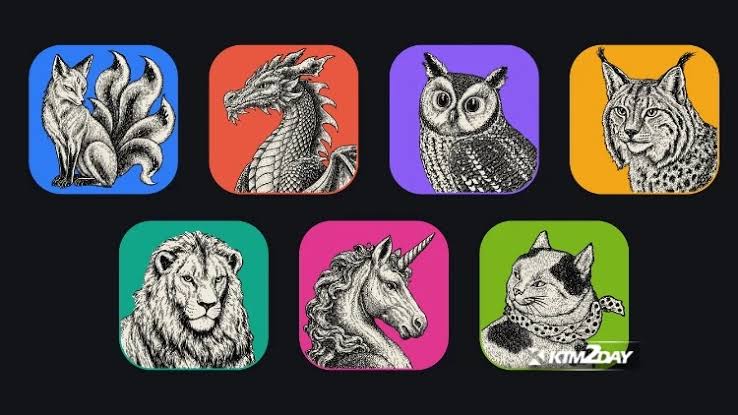
ArtCraft is a set of free, open-source desktop apps built with AI to look and work like Adobe's software. Released in October 2026 by US developer Brandon Thomas, it includes PhotoCraft (a Photoshop alternative), VectorCraft (Illustrator), FilmCraft (Premiere Pro), LightCraft (Lightroom), EffectCraft (After Effects), DesignCraft (InDesign) and PdfCraft (Acrobat). It is free, runs offline on Windows, macOS and Linux, and needs no account. It is also still in early alpha, so it is not ready for paid client work.
The project went viral because of how it was made: Thomas says he used Anthropic's Claude AI to help write the apps in the Rust programming language. Here is what ArtCraft is, how well it works, and what it means for designers and businesses in Kenya.
What Is ArtCraft?
ArtCraft is the umbrella name for a family of "Craft" apps that copy the look and workflow of popular creative software. The seven Adobe-style apps are:
ArtCraft appAdobe app it mimicsUsed forPhotoCraftPhotoshopPhoto editing and compositingVectorCraftIllustratorLogos, icons and vector graphicsFilmCraftPremiere ProVideo editingLightCraftLightroomPhoto organising and colour correctionEffectCraftAfter EffectsMotion graphics and effectsDesignCraftInDesignPage layout and print documentsPdfCraftAcrobatEditing PDFsLater releases added apps aimed at Microsoft Word, Excel and PowerPoint, as well as Figma, AutoCAD and Pro Tools.
How Was It Built With AI?
Thomas, who describes himself as a long-time software developer rather than a "casual vibe coder", says he used Claude to write much of the code. The apps are written in Rust and run natively on your computer, with most also able to run in a web browser.
That is what makes ArtCraft newsworthy. Software of this size used to take large teams years to build. AI coding tools have made it possible for a very small team to produce working, if rough, versions of complex professional apps in a short time.
How Good Is It Right Now?
Honestly, it is early. The developer himself has said the apps are in early alpha and "not anywhere close to ready". Early hands-on reviews found:
- Familiar layout: tools such as the lasso, feathering, levels and colour fixes are where Photoshop users expect them.
- Bugs: some tools behave unpredictably. One reviewer found the free transform tool would undo itself, then work again for no clear reason.
- Missing pieces: PhotoCraft does not support Photoshop plug-ins or scripts, and some apps are labelled pre-alpha.
- Mixed verdicts: some testers managed quick photo edits; others called parts of it unusable.
In short, it is a fascinating preview, not a replacement you can rely on today.
Is ArtCraft Legal and Safe to Use?
Two questions are still open:
- Legal status: the developer describes the apps as "clean-room" rebuilds made from public file specifications and observed behaviour, not Adobe's code. That claim has not been independently checked, and how closely the apps copy Adobe's interface could become an issue. Adobe had not commented at the time of writing.
- Safety: the apps run locally, so your files stay on your computer. But this is very new, AI-written software that has not been widely audited. Download it only from the official project page, try it on a test machine or with copies of your files, and keep your client work in tools you trust.
Should Designers in Kenya Switch?
Not yet, but it is worth watching. Here is our practical take:
- For client work: stay with proven tools. A crash, a corrupted file or a print file that does not export correctly costs far more than a software subscription.
- For learning: ArtCraft's Adobe-style layout could help students practise familiar workflows for free, as long as they also learn the real tools employers expect.
- For cost: Adobe subscriptions are billed in dollars, which is a real burden for many Kenyan freelancers. ArtCraft shows where things are heading: more capable free software, faster.
Free Alternatives You Can Use Today
If you want to cut software costs now, these free tools are already mature and widely used:
- Affinity: professional vector, photo and layout tools in one free app. See our Affinity vs Adobe Illustrator comparison.
- GIMP and Krita: free photo editing and digital painting.
- Inkscape: free vector graphics, good for logos and illustrations.
- Canva and Figma: quick social media designs and website or app design.
Whatever you choose, the fundamentals matter more than the app: understanding raster vs vector graphics, typography and layout.
What This Means for the Design Industry
ArtCraft is less about one project and more about a shift. AI is lowering the cost of building software, which puts pressure on expensive subscriptions and should mean more choice for designers. We have seen the same pattern with AI image tools such as Magnific: the tools get cheaper and faster, while judgement, taste and communication remain the skills clients pay for.
For businesses, the takeaway is simple. Cheaper tools do not automatically mean better design. What makes a logo, website or company profile work is the thinking behind it, not the software it was made in.
ArtCraft FAQs
Is ArtCraft free?
Yes. The apps are free and open source, with no subscription or account needed.
Can ArtCraft open Photoshop or Illustrator files?
Support for Adobe file formats is limited and still being developed. Test with copies of your files before relying on it.
Is ArtCraft made by Adobe?
No. It is an independent project with no connection to Adobe. It only imitates the look and workflow of Adobe's apps.
Is ArtCraft better than Affinity or GIMP?
Not today. Affinity, GIMP and Inkscape are stable and proven. ArtCraft is an early alpha that is interesting to try but not dependable for real projects.
Does this mean AI will replace designers?
No. AI is making tools cheaper and faster to build, but businesses still need people who understand their audience, brand and message. If you need design that works, see our design services.
Final Thoughts
ArtCraft is one of the clearest signs yet of how AI is changing creative software: a free, Adobe-style suite built by a tiny team in a short time. It is rough, unfinished and legally untested, so keep your client work in proven tools for now. But keep an eye on it, because the gap between expensive and free creative software is closing fast.
Comments 0
No comments yet. Start the conversation.